Harbour
Every import job on one board, and a portal where owners follow their car from port to plates.
In transit 8
Land Cruiser 70
Jebel Ali → Southampton
Skyline R34
Yokohama → Bristol
At port 6
Porsche 911 GT3
Customs cleared
Ford Bronco
Duty paid
Registered 9
Owner notified · delivery Fri
Handover booked
Who it's for
Import desks running on spreadsheets and WhatsApp.
Shipping, customs, duty, testing and registration often span three countries. Most desks track it in spreadsheets and group chats, and owners ring the office for every update.
Harbour puts every job in one place for your staff, and gives each owner a branded page that answers "where is my car?" before they ask.
In version 1
What you get today.
Job board
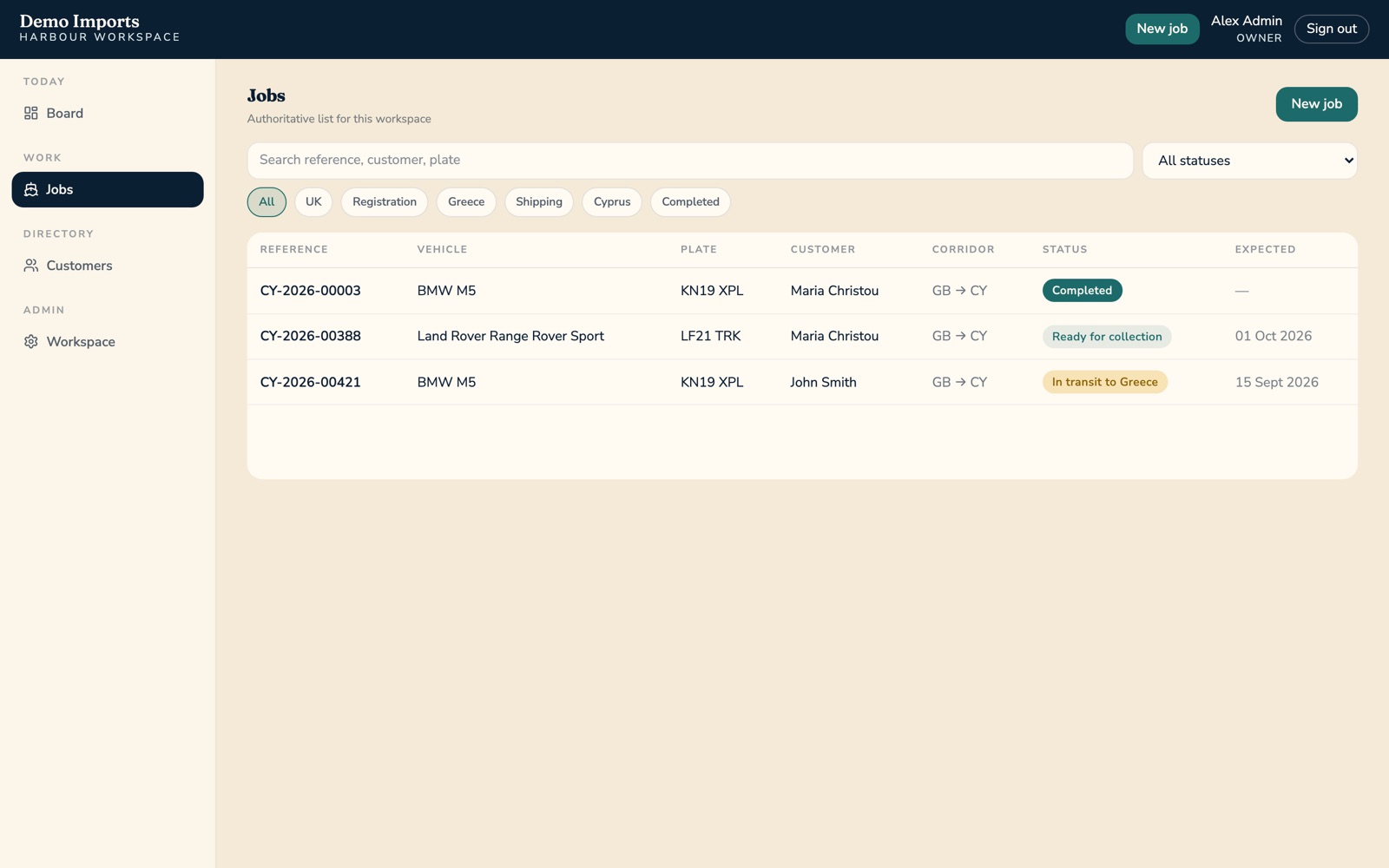
Every import from collection to registration, with progress at a glance.
UK plate lookup
Type a plate and Harbour fills in the vehicle, so a new job takes seconds.
Job file
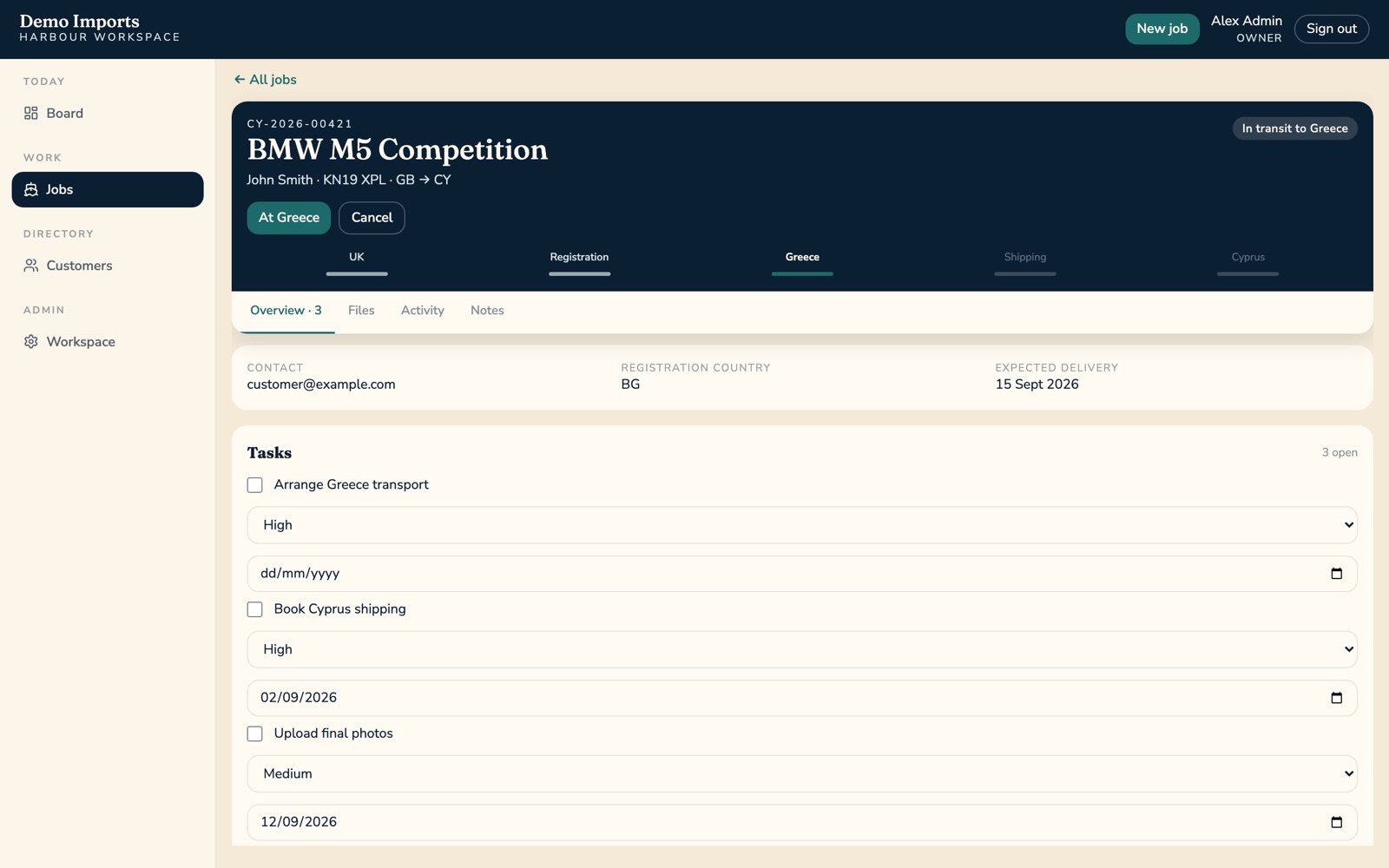
Status, tasks, journeys, notes, files and an activity log for each import.
Branded owner portal
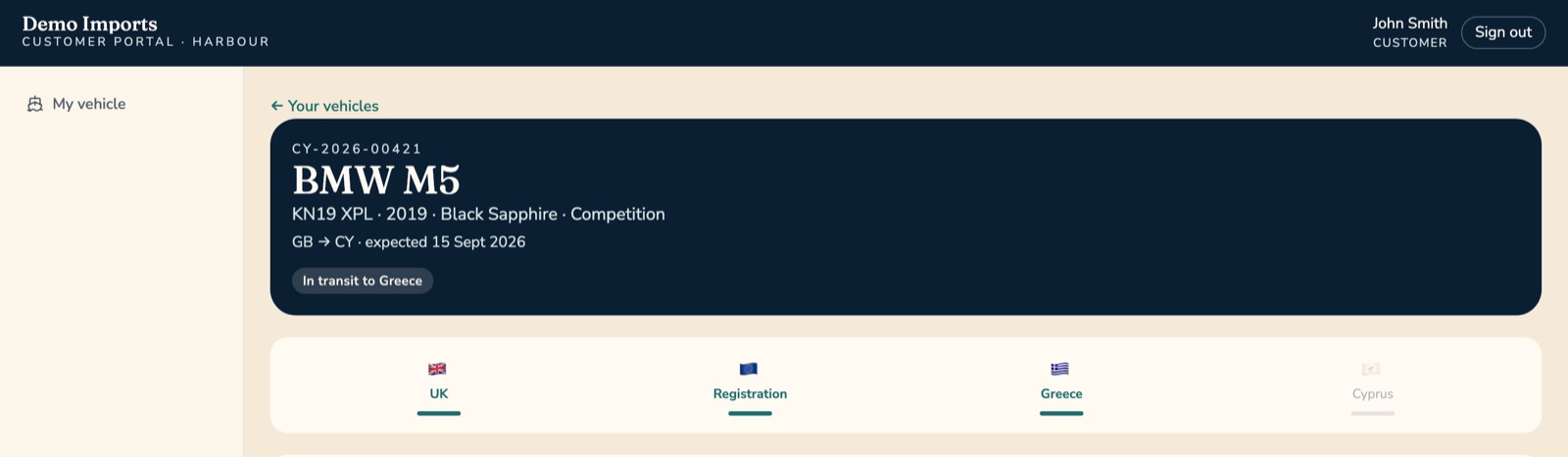
Owners see their vehicle, its journey, documents and updates, in your branding.
Owner emails and invites
Invite owners to their portal and keep them updated by email.
Private by design
Owners never see internal notes, suppliers or private files.
Two sides of one job
Staff see everything. Owners see their car.
Switch between the staff board and the owner portal for the same import.
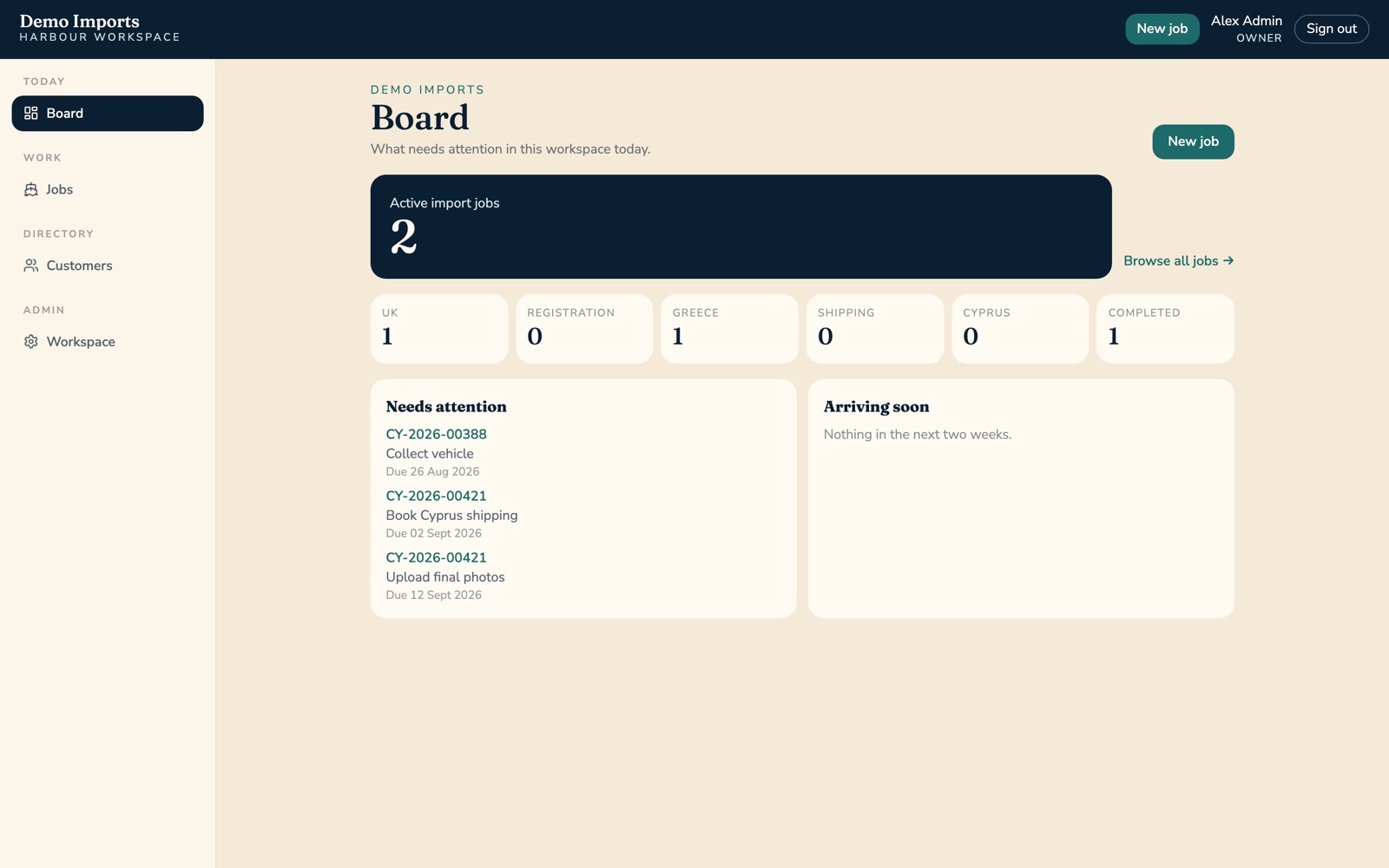
Staff see every job, supplier and internal note on one board.
In transit 8
Land Cruiser 70
Jebel Ali → Southampton
Skyline R34
Yokohama → Bristol
At port 6
Porsche 911 GT3
Customs cleared
Ford Bronco
Duty paid
Registered 9
Owner notified · delivery Fri
Handover booked
Job IMP-2041 · Yokohama to Bristol
- Collected
- Shipped
- At sea
- At port
- Registered
Your car left Yokohama on the Hoegh Trigger. Expected at Bristol on 28 November.
Bill of lading · Export certificate · Photos (14)
Real screens
The board, the job file and the owner's view.
Captured from the running product with demo data.
Add-ons
Coming next to Harbour.
Built and tested, and switched on as paid add-ons.
Live GPS tracking
Teltonika trackers report through Flespi, so staff and owners see where the car is right now.
Board alerts
Harbour flags a tracker that has gone quiet and a car that is nearing its destination.
AI drafts
Draft customer updates and route suggestions for staff to check. Nothing is ever sent automatically.
Plate photo scan
Photograph a number plate and Harbour reads it into a new job.
Costs and margin
Track charges and costs per job and see the margin on every import.
Team roles
Invite staff and decide who can see costs, suppliers and customer details.
Plans
One workspace per business.
Each business gets its own workspace and branded portal. Pricing is quoted per workspace.
Harbour
The board, job files, plate lookup and the branded owner portal.
- Unlimited jobs and customers
- Branded owner portal
- Owner email updates
Harbour with tracking
Everything in Harbour, plus live GPS and board alerts.
- Teltonika and Flespi tracking
- Quiet-tracker and arrival alerts
- Live position for owners
Harbour Pro
Tracking plus AI drafts, plate scanning, margin reporting and team roles.
- AI drafts for staff
- Costs and margin
- Roles and invites
Questions
Questions import desks ask.
How much does it cost?
Pricing depends on the size of your team and the add-ons you need. Book a demo and you get a written quote within three working days.
Can owners see our suppliers or notes?
No. The portal only shows the owner's own vehicle, journey, documents and the updates you publish.
Does it work outside the UK?
Yes. Each workspace sets its own timezone and currency, and Harbour already tracks routes into Cyprus.
Can we move our current jobs in?
Yes. Tell us how you track jobs today and we will plan the move with you during set-up.
Let's make an impact.
Tell us what you are building. We reply within one working day with next steps and a time for a call.